
In any company it is easy to get used to manual work. Someone re-keys data from a form into the CRM — the system for managing contacts and customer relationships. Another person pulls orders into a spreadsheet, issues invoices, checks payments and every week pieces together a report from several different programs.
Each of these tasks on its own may take only a few minutes. The problem begins when it is performed dozens of times a month, depends on an employee's memory, or regularly causes errors.
Business process automation lets you hand part of this work over to systems. It is not, however, a good idea to start by choosing a trendy tool. First you need to find the right process, put its flow in order, and decide what should happen when something goes off plan.
In this guide we show you how to choose your first process to automate, map out its steps, calculate whether the rollout makes sense, and prepare a safe pilot.
In short
Start process automation with a single task that recurs most often and takes up the most time — usually that means re-keying data between systems (form → CRM, order → invoice, payment → report). First describe the process step by step, then connect the tools you already use, and only at the very end add further automations. Don't automate chaos — first put the process in order, otherwise you'll just automate the error. More and more of these tasks are now supported by artificial intelligence in marketing.
TL;DR
- Choose a process that is frequent, time-consuming, measurable and based on clear rules.
- Before rolling out, map the current flow, the data used, the exceptions and the people responsible.
- Your first automation should cover one process, not the whole company.
- AI is not needed for every automation. Simple rules are usually easier to keep under control.
- A pilot must also be tested for faulty and unusual cases.
- Once it is live you need logs, alerts and the ability to resume the process manually.
What is business process automation?
Business process automation means handing repetitive tasks over to systems that perform them according to set rules and pass data between the tools used in the company.
A business process is a sequence of actions leading to a specific result — it could be handling a new enquiry, preparing a quote, fulfilling an order, issuing an invoice, accepting a service request, onboarding a new client, preparing a report or updating stock levels.
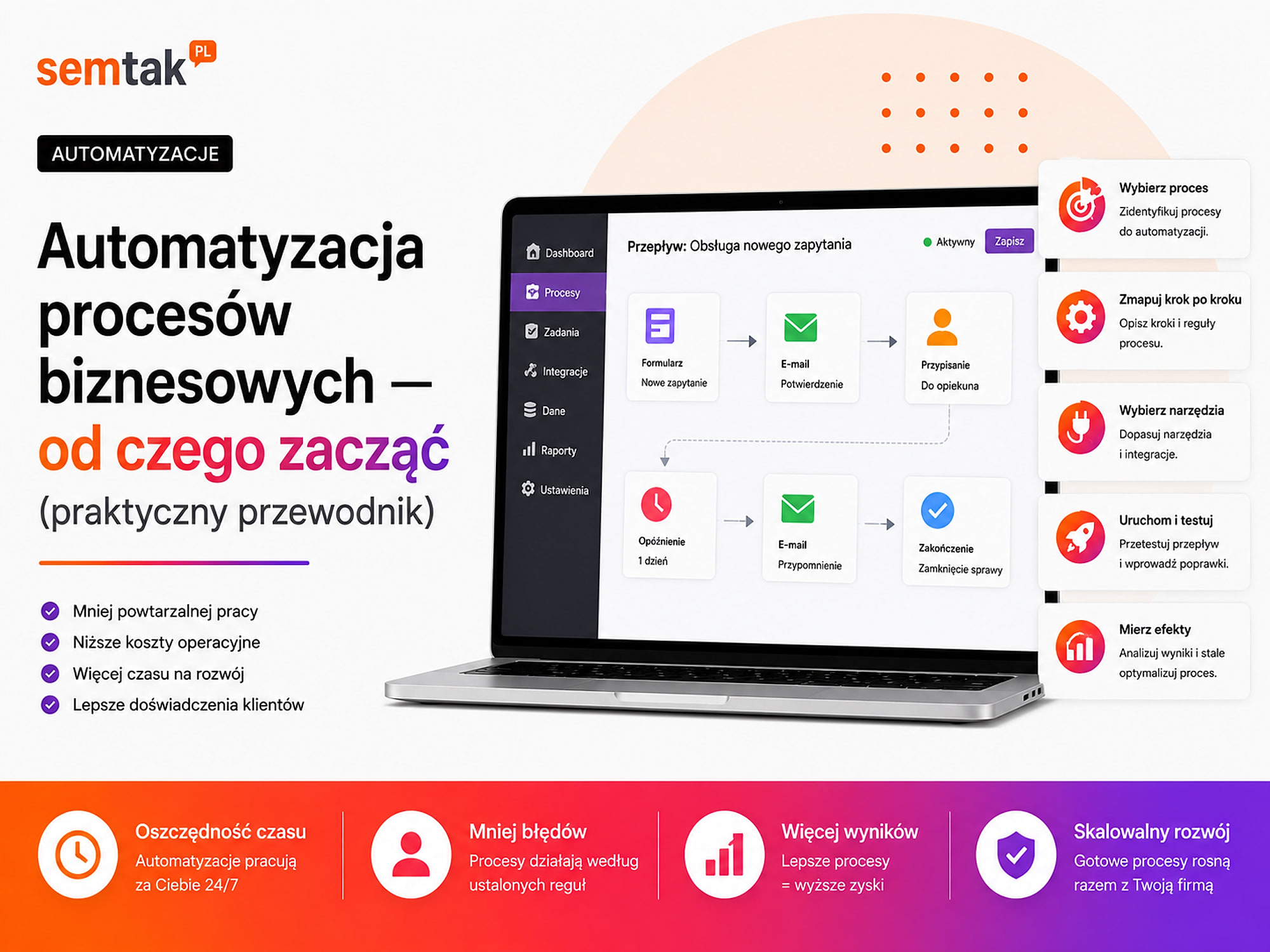
Automation does not have to mean building a large system from scratch. A simple process might look like this:
- A customer submits a form from the website.
- The data automatically lands in the CRM.
- The system assigns the enquiry to the right salesperson.
- The salesperson receives a task and a notification.
- The customer gets a confirmation that the enquiry has been received.
- No response within a set time triggers a reminder.
Without automation, someone has to read the message manually, re-key the data, create the contact, assign the task and keep an eye on the response. The system does not have to take over the whole process — most often you automate selected steps that are predictable and don't require an individual decision every time.
Where should you start with business process automation?
It is best to start by finding a single process that regularly takes up time, is prone to mistakes and has a clearly defined start and result.
The problem first, the tool second
A common mistake: "We want to roll out AI, n8n or a new CRM — let's work out what we can do with it." The order should be the other way round: "We have a specific problem with order handling — let's see how to simplify it and what solution we'll need." Without this order it's easy to buy an app the team doesn't use, or one that solves only a small fragment of the problem.
Before choosing a technology you need to know what problem is to be solved, who does the work today, how many times the process recurs, what data is needed, where that data is stored, what exceptions occur and how the result will be measured.
Which process is worth automating first?
The best first process is frequent, predictable, measurable and simple enough to be safely tested on a limited number of cases.
The process recurs often. The more often a task is performed, the greater the potential time savings. It pays to look for actions performed every day, after every order, after every enquiry, with every new customer, on a specific day of the week, or at month-end close. Automating a task performed once every six months usually doesn't give a quick return, unless handling it manually is especially risky.
The process has clear rules. It is easier to automate a task that can be described with conditions: if A happens, do B; if data is missing, send the case for review; if the amount exceeds a limit, request approval; if the system doesn't respond, retry the operation. If every case requires negotiation, experience or wider context, some of the decisions should stay with the employee.
The process takes up real time. It is not enough to say the task is tiresome. You need to check how long one run takes, how many times it occurs a month, how many people are involved, how much time corrections take and where the process most often waits. Sometimes the biggest loss does not come from the work itself, but from waiting until someone reads a message, approves a document or changes a status.
The process causes errors. A good candidate is a task in which typos, incomplete data, lost messages, duplicate records, out-of-date prices, wrong statuses, missing attachments or delayed responses regularly occur. Automation can reduce manual-copying errors, but it won't fix data that is already wrong in the source system.
The effect can be measured. Before rolling out, you need to define what will count as an improvement: a shorter case-handling time, a faster response to an enquiry, fewer manually entered fields, fewer errors, fewer lost requests, faster document issuing or fewer cases needing correction. If you don't know what to measure, it is hard to assess the value of the solution once it is live.
A good and a bad candidate for your first automation
A good pilot candidate has well-organised data, simple logic and limited risk, whereas a bad one requires many individual decisions or changing the whole organisation at once.
| Good candidate | Weak candidate to start with |
|---|---|
| Recurs daily or weekly | Occurs sporadically |
| Has clearly defined rules | Looks different every time |
| Uses well-organised data | Data is incomplete or contradictory |
| Has a specific start and result | It's unclear when the process begins or ends |
| Errors are easy to spot and fix | An error could cause a big loss |
| Can be run on a small group | Requires changing every department |
| The effect can be measured | It's unclear what the rollout is meant to improve |
For a first pilot, a single flow between a form and the CRM is better than rebuilding your entire sales, accounting and warehouse handling.
How to start process automation step by step?
A safe rollout covers analysing the current process, simplifying it, designing the new flow, testing, monitoring and assessing the results.
Step 1: gather the processes that take up time. Prepare a list of repetitive actions performed by individual people and departments. Don't just ask the team "What can we automate?". Better questions: what do you most often re-key by hand; which task do you always perform to a similar pattern; what do customers most often wait for; where do mistakes appear most often; which task depends on one person's memory; what do you do every Monday or at month-end; what information do you move between the inbox, a spreadsheet, the CRM and the shop. At this stage you are collecting problems, not tool names.
Step 2: measure the manual version of the process. Before changing anything, establish how much time and how many operations the current way of working requires:
| Element | Question |
|---|---|
| Frequency | How many times is the process performed? |
| Time | How long does one run take? |
| People | Who is involved in the process? |
| Systems | Which tools does the team use? |
| Errors | What most often needs correcting? |
| Waiting | Where does the process most often stall? |
| Result | What should be produced at the end? |
You don't need a complicated analysis — sometimes a week of observation and a simple table is enough. Example: 60 new enquiries a month, about 8 minutes to read, re-key and assign each one, data arrives from the form into the inbox, the salesperson copies it into the CRM, a few requests a month go to the wrong person. That description is enough to start designing a pilot.
Step 3: choose one pilot process. Your first rollout should solve one specific problem. Assess the possible time savings, the number of errors, the impact on the customer, the data quality, the availability of integrations, the risk of malfunction and how easy it is to test. Don't pick the flashiest process — pick the one with a good ratio of benefit to difficulty and risk. More scenarios in the article examples of process automation in a company — 7 use cases.
Step 4: map the current flow of the process. Before you change the process, sketch it in its current form together with the manual steps, the exceptions and the waiting points. Such a description is known as an AS-IS process map (a picture of how the work looks today) — you don't need specialist software, a sheet of paper or a simple diagram will do. Note down: what triggers the process, what data comes in, who performs the first step, what systems are used, where data is copied, who makes the decision, what exceptions occur, what ends the process, where the result is saved and who is responsible for the whole thing. Simply mapping the process often reveals that some steps are unnecessary.
Step 5: simplify the process BEFORE automating
Don't automate all the current actions if some of them exist only because the programs didn't exchange data before. Ask: is this step still needed; are we entering the same information more than once; does someone approve an action that always ends in approval; can the data format be standardised; do several statuses mean the same thing. Example: if an employee copies a message from the form into a spreadsheet, and then from the spreadsheet into the CRM — don't automate both transfers, just send the data straight to the CRM and remove the redundant spreadsheet. Automating a bad process just gives you faster chaos.
Step 6: design the target flow. The new process should cover not only the correct path, but also exceptions, errors and decisions that require an employee. Example of a target enquiry-handling process: the form checks the required fields → the data goes automatically into the CRM → the system recognises the type of enquiry → the lead is assigned to a salesperson → the salesperson receives a task → the customer gets a confirmation → no response triggers a reminder → incomplete data goes into a queue requiring review. For each step, establish what triggers it, what data it pulls, what conditions it checks, what it saves, who is notified, what happens on error and whether human approval is required.
Where to keep a human? (human-in-the-loop)
Not every decision should be made automatically. An employee may still approve a large payment, an unusual quote, a complaint, an individual price, the publication of content, the deletion of data or the handling of a non-standard order. The model in which the system prepares a proposal and a human assesses it is called human-in-the-loop — control is kept with the human wherever an error could have significant consequences.
Step 7: choose the implementation method. The technology is matched to the process, the number of systems, the risk and the required level of control:
| Solution | When does it make sense? | Example |
|---|---|---|
| A feature of the current system | The program already supports the needed operation | A reminder in the CRM |
| A ready-made plugin or integration | The process is standard | A shop connected to invoicing |
| No-code or low-code | You need to connect several popular tools | Form → CRM → task |
| API integration | You need custom logic or non-standard data | ERP ↔ shop ↔ warehouse |
| AI automation | Data needs to be interpreted or classified | Recognising an email's topic |
| A dedicated application | The process is central and doesn't fit ready-made tools | A custom B2B panel |
No-code and low-code tools let you build automations without classic programming, or with a small amount of code. More elaborate flows can be created with n8n. An API is the way two systems exchange data — if no ready-made connection exists, or the process requires individual rules, you may need an API integration. A dedicated application makes sense when the process is important to the company, elaborate and hard to handle with off-the-shelf tools.
Step 8: test the process on a small scale. Don't launch the automation straight away for all customers, documents and orders. Tests should cover the correct case, missing required data, an invalid email address, a double form submission, system unavailability, exceeding a limit, cancelling an operation, an unusual value and a manual data change. Example: if the process issues an invoice after an order is paid, also check a partial payment, a refund, a cancellation, a foreign order, an invalid VAT number and resending the payment information. Testing one correct order is not enough.
Step 9: switch on monitoring and alerts. Automation must report when it cannot complete a task or the result needs review. The process should log the start time, the steps performed, the case identifier, the operation result, the error code or description and the number of retries. An alert should reach the specific person responsible for reacting. Also establish who is responsible for the automation, how to resume the process manually, where the logs are, how to disable the integration and how to revert to manual handling. A webhook is an automatic signal sent by one system to another after an event occurs (e.g. after an order is paid) — if such a signal doesn't arrive, the process should be able to retry the operation or report an error.
Step 10: measure the result, and only then scale. After the pilot, compare the new process with the previous way of working: how long the process takes after the change, how many cases were handled automatically, how many required manual intervention, how many errors occurred, how many times the system retried an operation, whether the response time shortened and whether the employees actually use the solution. The first few weeks often reveal exceptions no one had noticed before. Automate the next process only once the pilot has stabilised.
How to calculate whether automation pays off?
The simplest calculation compares the monthly cost of manual work with the cost of the rollout, the tools and the later upkeep of the automation.
Number of operations × time of one operation × hourly cost of work
Example: 80 operations a month × 12 minutes = 960 minutes (16 hours); an internal hourly cost of £19 → 16 × £19 = £304 a month. This does not mean the company will recover the full £304 after rollout — exceptions, oversight and upkeep may still occur. For the comparison you also need to add the cost of the rollout, subscriptions, the server cost, maintenance and updates, the time spent handling exceptions, training staff and the cost of any failure. The benefits are not always limited to working time — automation can also speed up the response to the customer, reduce the number of mistakes, shorten order fulfilment, reduce dependence on a single person, improve data availability and make it possible to handle a larger number of cases.
Classic automation or AI automation?
Classic automation executes set rules, whereas AI is useful when data needs to be understood, classified, summarised or transformed.
| Type | When to use it? | Example |
|---|---|---|
| Classic automation | The rule is unambiguous | After an order is paid, issue an invoice |
| AI automation | Text or a document needs interpreting | Recognise the topic of a message |
| AI with human approval | The result needs checking | Prepare a draft quote for approval |
Classic automation works well for tasks such as: move data from system A to B, issue a document once a payment is booked, change a status after dispatch, send a notification, create a task, pull a report at a set time, check whether a field is empty. If the rule can be written as "if X, do Y", ordinary conditions are usually enough.
AI automation can help when the system has to recognise the topic of a message, assign a request to a category, prepare a summary, extract data from text, draft a reply, judge whether an enquiry concerns sales or service, or compare a document against set rules.
For important decisions — human oversight
For financial, legal or reputational decisions, the AI's output should pass human review. Don't connect an AI model directly to actions that change prices, send money, publish content or delete data — let the AI prepare a proposal and have a human approve it. More use cases on the AI automation for business page.
Which processes are most often suitable for a first pilot?
A good starting point is administrative and operational processes in which well-organised data is moved manually between systems. The examples below show typical directions, not a ready-made scope of rollout for every company.
Contact form → CRM → salesperson. After a form is submitted, the system can check the data, create a contact, save the enquiry source, assign a salesperson, create a task, send a confirmation and keep an eye on the response time.
Order → invoice → document dispatch. After the payment status changes, the system can pull the order data, pass it to the invoicing program, retrieve the document, save the invoice number, send the document to the customer and archive a copy. For WooCommerce shops this process can use the WooCommerce API.
Email → classification → request. A new message can be assigned to a department, flagged with a priority, saved as a request, passed to the right person and given a response deadline.
Data from several systems → report. The process can periodically pull sales data, pull information from the CRM, combine the results, check for gaps, update a dashboard and send the report.
New client → onboarding. After a contract is signed, the system can create a project, prepare folders, send a start-up form, create tasks for the team, schedule a meeting and send instructions to the client. Elaborate scenarios in the guide examples of process automation in a company.
What is not worth automating?
You should not automate a process that is chaotic, performed very rarely, based on poor data or requiring constant individual decisions.
Be careful when no one can describe the flow of the process, every employee performs the task differently, it's unclear who is responsible for the result, the data is incomplete, systems contain contradictory information, there are many undocumented exceptions, an error could cause a big loss, the action is performed very rarely, or the process is about to be completely changed. In such a case the first step may be simplifying the form, reducing the number of statuses, standardising names, removing double data entry, establishing responsibility, or moving the information into a single system.
The most common mistakes in process automation
Most problems are caused by a poorly chosen scope, a lack of exception handling, poor data and no one responsible for keeping the process running.
Too large a scope for the first rollout. A project covering sales, the warehouse, accounting, marketing and customer service all at once has many dependencies — it is harder to test, roll out and fix. The first project should cover one measurable flow.
No process owner. Automation must have a person responsible for the operating rules, the data quality, decisions about changes, reacting to problems and assessing the results. Without an owner, after a few months no one knows who can change a rule or explain an unusual case.
Designing only the correct path. The process works during the presentation, but stalls when it receives incomplete data, a duplicate or an unusual document. Tests must also cover errors and edge cases.
No monitoring. The system may stop working after a password change, a program update or a form modification. If it doesn't log anything and doesn't send an alert, the company will only notice the problem after a customer complains.
Permissions that are too broad. An integration that pulls a report doesn't need the ability to delete customers or change orders. Each system should be given only the access needed for its specific task.
No documentation. After a few months you still need to know which systems are connected, what triggers the process, where the logs are, who receives alerts, how to resume an operation manually and how to safely disable the solution. A short set of instructions is needed even for a simple flow.
What can you check yourself?
Before talking to a contractor, you can identify the processes yourself, measure their cost and prepare a basic data-flow map.
1. List the tasks performed on a recurring basis. Start with daily, weekly actions and those performed after every order or enquiry.
2. Find the places where data is copied. Check the flows between the inbox, spreadsheets, the CRM, the shop, accounting and the warehouse.
3. Measure the time of one operation. Don't rely solely on the impression that something takes a long time.
4. Count the number of repetitions. A two-minute action can be costly if it occurs hundreds of times.
5. Note the most common errors. Include duplicates, missing data, delays and the need to correct documents.
6. Draw one process. Mark the start, the steps, the systems, the decisions, the exceptions and the result.
7. Check your current tools. The CRM, shop or invoicing program may already have the feature you need.
8. Check the integration options. Establish whether the program has an API, webhooks, file import or ready-made connections.
9. Choose one pilot. Don't connect all the departments at the start.
10. Set a success metric. It could be handling time, the number of errors, the response time or the number of manual steps.
When is it worth outsourcing automation to a specialist?
A specialist's help is advisable when the process spans several systems, processes important data or has to run reliably without constant employee supervision.
This applies especially when you need to connect a CRM, ERP, shop, accounting or warehouse; the systems have no ready-made connection; data is sent in both directions; customer data is processed; the automation issues documents; APIs and webhooks are needed; there are many exceptions; a faulty operation could change prices or orders; the process uses AI; or the company plans to develop further flows. An ERP is a system for managing a company (warehouse, invoices, finances, orders), and a WMS is a system for managing warehouse work.
Before rolling out, it pays to establish the business goal, the current flow, the target flow, the data sources, the process owner, the error-handling rules, the access required, the test plan, the monitoring method and the documentation after launch. The main starting point should be automation and integrations for business. If the problem mainly concerns manually moving information between programs, the solution may also be a systems integration.
Frequently asked questions
Does process automation require artificial intelligence?
No. Many processes work better on plain rules, for example "after an order is paid, issue an invoice". AI is useful when data needs to be interpreted, classified or summarised.
Which process is best to start with?
A process that is repetitive, time-consuming, based on clear rules and possible to test on a small scale. A good example is passing forms into the CRM.
Do you have to change your current systems before automating?
Not always. Often it is enough to connect the tools already used in the company. Changing a system is needed when it doesn't make its data available, doesn't allow integration or blocks the development of the process.
How do you check whether automation pays off?
Count the number of operations, the time of one operation, the cost of work and the time needed to correct errors. Then compare the result with the cost of the rollout, the tools and the upkeep.
Does a small company need automation?
Yes, if repetitive tasks regularly take up the owner's or employees' time. A small company should, however, start with simple flows that are easy to keep under control.
Can automation completely replace an employee?
Most often it replaces selected actions, not a whole role. The system can move data, create documents and keep an eye on deadlines, while a human handles exceptions and makes decisions.
What happens when the automation stops working?
A correctly rolled-out process should log the error, send an alert and make it possible to resume the operation manually. Important processes should also have an emergency-handling procedure.
Is it better to choose n8n, a ready-made integration or a custom system?
A ready-made integration is enough for a standard connection. n8n works well for flows between several tools, and a custom system makes sense for elaborate, individual business logic.
Start with one process, not with rebuilding the whole company
The safest start is one well-described process, a small pilot and a clear success metric. Automation doesn't have to begin with a large project — first put your current way of working in order, establish the data, conditions, exceptions and responsibility, and only then choose a tool. If you want to check which processes are worth automating first, we'll prepare a data-flow map and point out the places where your team loses time on manual copying:
- Automation and integrations for business — the main starting point.
- Systems integration — when the problem is manually moving data between programs.
- n8n implementation — flows between several tools without heavy code.
- Examples of process automation in a company — ready-made scenarios for inspiration.