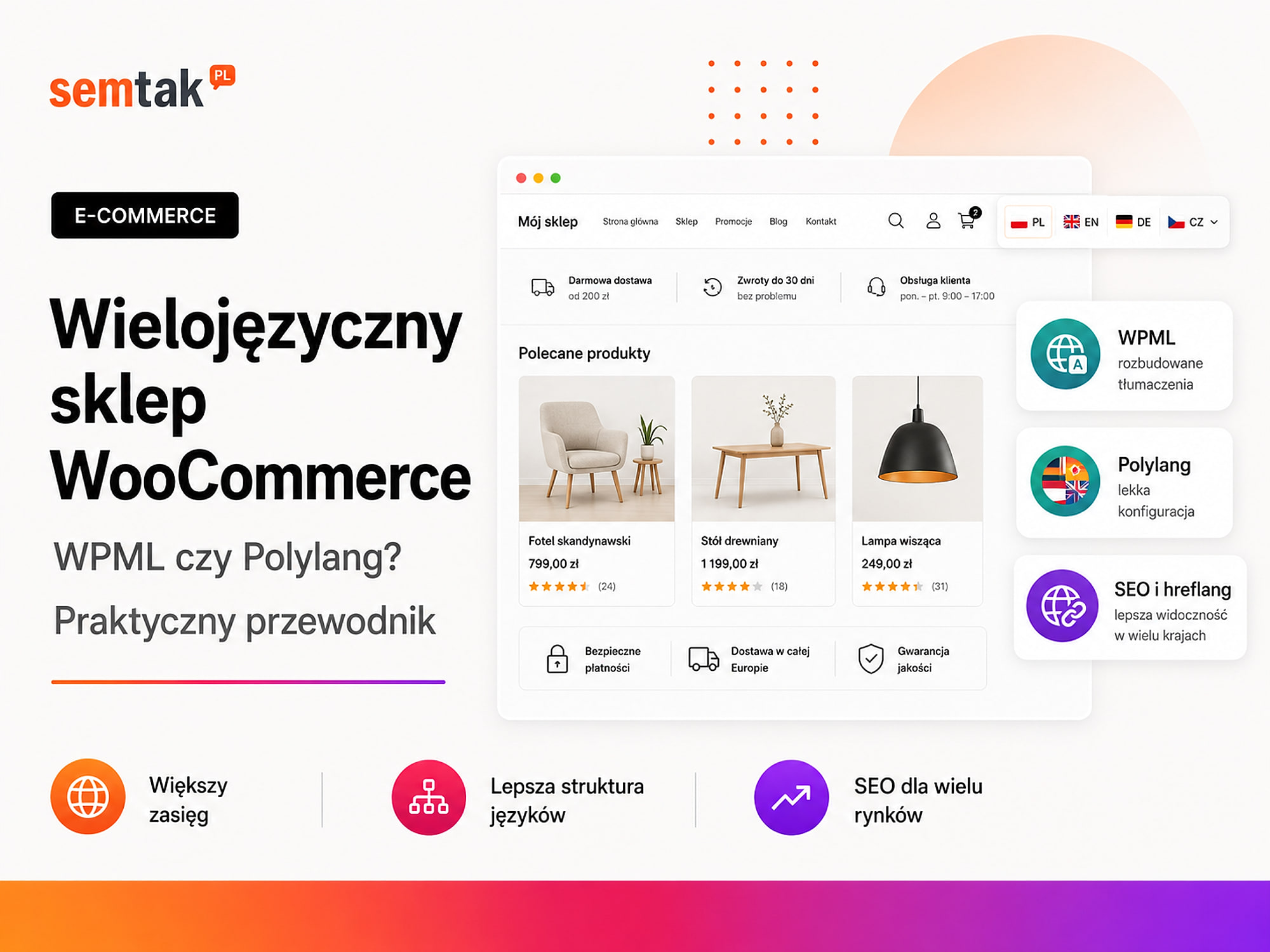
Multilingual WooCommerce store: WPML or Polylang? A practical guide

Adding a "PL / EN / DE" switcher is not enough to make a store multilingual. You still have to translate products, variations, categories, filters, the cart, emails, terms and conditions, and the messages generated by plugins.
On top of that come prices, currencies, taxes, shipping and payments. A German version of the store may be correctly translated and still not sell if it shows prices in złoty, Polish shipping methods and terms that don't match the market.
The choice usually comes down to two solutions: WPML and Polylang. Both let you run several language versions of WooCommerce, but they differ in how they handle translations, automation, currencies and the range of ready-made integrations.
In this guide we compare them without naming a single winner for every store. We show when WPML is the better fit, when Polylang is, and what you need to prepare so that a multilingual WooCommerce doesn't create problems with SEO, products and orders.
In short: WPML or Polylang?
Choose WPML more often when the store is large and needs multiple currencies, automation and an organised translation process. Polylang makes sense when you prefer a simpler way of working and direct control over content versions. That doesn't mean WPML is always better for a large store, Polylang is always cheaper, or that either plugin will handle every integration without testing — the decision has to be based on your specific WooCommerce configuration.
In short (TL;DR)
- WPML tends to work better in larger stores that need a central translation panel, automation, multiple currencies and broad integrations.
- Polylang gives a more direct way of managing language versions and can be a good choice for a simpler translation process.
- Free Polylang does not provide full WooCommerce support. You need the Polylang for WooCommerce add-on.
- Polylang Pro supports automatic translation via DeepL, but it does not translate the whole store with a single click.
- WPML has its own multicurrency module. With Polylang you have to pick a separate multicurrency solution.
- Both plugins can work fine for SEO. The result depends on URLs,
hreflang, canonicals, translation quality and internal linking. - Before choosing, check compatibility with your payments, shipping, invoices, ERP, product feed and theme.
- First test one language and a small group of products. Only then expand the rollout.
What does a multilingual WooCommerce store actually mean?
Multilingual WooCommerce is several connected versions of products and the entire purchase path — not just a translated description.
The customer should be able, in the chosen language, to enter a category, use filters, open a product, pick a variation, add the product to the cart, choose shipping, go to payment, receive an order confirmation, read the return policy and contact support. If the product page is in German but the checkout error message appears in Polish, the implementation is not finished yet.
Things that may need translating include: product names and descriptions, short descriptions, categories and subcategories, tags, attributes, variation names, the menu, buttons, WooCommerce messages, the cart and checkout, transactional emails, shipping methods, payment names, forms, terms and conditions, privacy policies, banners, the footer, meta titles and meta descriptions, and URLs. You also have to decide which data stays shared and which can differ between markets:
| Data | Usually shared | Can differ between markets |
|---|---|---|
| Stock level | Yes | Rarely |
| SKU | Yes | Rarely |
| Images | Yes | Yes |
| Name and description | No | Yes |
| Base price | Often | Yes |
| Currency | No | Yes |
| Tax | Not always | Yes |
| Shipping | No | Yes |
| Product availability | Often | Yes |
| Terms and conditions | No | Yes |
| SEO metadata | No | Yes |
Language, country and currency are three different things
A language version doesn't have to map to one country, and currency shouldn't be chosen on language alone.
Market matrix first, plugin second
An English version may be aimed at the United Kingdom, Ireland, the USA or international EU customers — and in each case different prices, currencies, taxes, shipping, payments, delivery times and legal notices may apply. Before installing a plugin, prepare a simple market matrix (market → language → currency → warehouse → shipping → payments). Such a table often shows that the project is not just a website translation — it's a sales rollout into a new market.
| Market | Language | Currency | Warehouse | Shipping | Payments |
|---|---|---|---|---|---|
| Poland | Polish | PLN | PL | Parcel lockers, courier | BLIK, card, transfer |
| Germany | German | EUR | PL or DE | international courier | card, PayPal |
| United Kingdom | English | GBP | PL or UK | international courier | card, PayPal |
| Czechia | Czech | CZK or EUR | PL | pickup points, courier | local methods |
WPML or Polylang — a quick comparison
The decision has to be based on your specific WooCommerce configuration, not just on the number of features.
| Criterion | WPML | Polylang |
|---|---|---|
| WooCommerce support | WPML + WooCommerce Multilingual & Multicurrency | Polylang or Pro + Polylang for WooCommerce |
| Products and variations | Yes | Yes |
| Categories and attributes | Yes | Yes |
| Cart and checkout | Yes | Yes |
| WooCommerce emails | Yes | Yes |
| Automatic translation | Central system and credits | DeepL in Polylang Pro |
| Translating the whole site | Extensive workflow | No single button for the whole site |
| Multiple currencies | Built-in support in WCML | Separate solution |
| Slug translation | Yes | Polylang Pro |
hreflang | Yes | Yes |
| Translation team | Extensive workflow | Simpler model, Pro features |
| Management model | Central translation panel | Linked WordPress content |
| Typical choice | Large and complex store | Simpler store and direct editing |
Multicurrency means support for several currencies in one store (e.g. PLN, EUR, GBP) along with their prices, exchange rates, payments and refunds.
How much do WPML and Polylang cost?
Costs should not be compared on the basis of a single licence, because WooCommerce may require different sets of components.
According to the pricing available in June 2026: WPML Multilingual CMS costs 99 euros per year; Polylang Pro from 99 euros per year for one site; Polylang for WooCommerce from 99 euros per year for one site; there is also a bundle combining Polylang Pro with the WooCommerce add-on. Prices and promotions may change — check the vendor's current pricing before buying.
WPML costs. For a large store you usually pick WPML Multilingual CMS — the package includes the main plugin, a translation management panel, translation of theme and plugin texts, WooCommerce integration, automatic translations, updates and support. Automatic translations work on a credit system: the licence includes a set pool, but a large catalogue may require extra fees.
Polylang costs. Polylang for WooCommerce can work with free Polylang or Polylang Pro. The WooCommerce add-on itself handles the most important parts of the store; Polylang Pro is needed when you care about, among other things, slug translation, DeepL integration, XLIFF export and import, advanced content copying, language permissions and an extended editorial process. XLIFF is a format for exchanging content between WordPress and professional translators' tools.
Which solution is cheaper? You can't answer without knowing the scope. Polylang with the free core and the WooCommerce add-on may have a lower entry cost; but if you also need Polylang Pro, DeepL and a separate currency plugin, the cost can approach WPML or exceed it. Licences are only part of the budget — translations, SEO configuration, integration testing, theme fixes, feed preparation, data migration and ongoing maintenance can cost more.
How does WPML work in a WooCommerce store?
WPML creates a central system for managing language versions and connects it to WooCommerce through the WooCommerce Multilingual & Multicurrency module.
A product in the main language can be the content source, and its translations are linked versions. WPML synchronises the data you usually don't want to split (SKU, stock level, some product settings, variations, images, shipping classes), while names, descriptions, URLs and metadata stay separate for each language.
Central translation panel. Content can be sent for automatic translation, to users acting as translators, to external services or to manual editing. With a large catalogue you can control what has been translated, what is waiting for work, which source has changed and which translations need updating.
WPML automatic translation. It lets you automate translating larger batches of content and uses translation memory (reusing previously translated fragments). Don't publish automatic output without review — check especially category names, industry terms, units, variation names, sales messages, shipping information, legal texts and SEO phrases.
Multiple currencies in WPML. WooCommerce Multilingual & Multicurrency lets you add several currencies, set automatic or manual exchange rates, enter separate prices per currency, assign a default currency to a language, restrict payments by currency/location and add a currency switcher. Every configuration has to be tested with real payment providers — not every gateway supports all currencies, recurring payments, partial refunds, settlement without conversion, or refunds in the original transaction currency.
How does Polylang work in a WooCommerce store?
Polylang relies on separate, linked product versions and uses the standard WordPress editing interface.
For full store support you need Polylang for WooCommerce. Each product is assigned a language and linked to its counterparts. This model is clear for someone who knows the WordPress panel, wants to control each version manually, doesn't need an extensive translation queue and works with a small team.
Product synchronisation. Polylang for WooCommerce can synchronise across translations things like stock, prices, categories, tags, attributes, shipping classes, and images and galleries. Before you start you have to decide which data should stay shared. Example: a product image can be shared across all versions, but if it contains Polish text, the German version will need a separate graphic.
Translation via DeepL. DeepL is an external automatic translation service. Polylang Pro lets you use DeepL for selected content — the process doesn't mean translating the whole store with one click. The integration requires your own DeepL API key, works for pages/products/content types, lets you use a glossary in Polylang Pro 3.8, is run for selected items and doesn't directly handle content saved by Elementor, Divi and some other builders. Page builders often store content in a different structure than the standard editor, which makes automatic translation harder. A glossary is a list of approved names, brands and terms — it helps keep the same translations across the whole catalogue.
Currencies in Polylang. Polylang for WooCommerce handles languages but doesn't provide a complete multicurrency system of its own. If you need several currencies, you have to pick a separate solution and check its compatibility with Polylang, the payment provider, taxes, coupons, refunds, invoices, the product feed and ERP.
When to choose WPML?
WPML is usually the more sensible choice when multilingualism covers a large catalogue, several currencies, a translation team and extensive integrations.
Consider WPML when the store has hundreds or thousands of products, you plan several languages, you need a central translation panel, a lot of content will be translated automatically, several people work on translations, you need multiple currencies, payments are meant to depend on currency/market, product updates are frequent, you want to track work status, or you use many WooCommerce extensions. Example: a furniture store with 8,000 products, colour variations, PL/DE/CZ versions, PLN/EUR/CZK currencies, product import, Google Merchant Center, warehouse integration and several translators — here an orderly update process matters more than a few dozen euros' difference in the licence price.
When to choose Polylang?
Polylang can be the better choice when the store has a simpler structure and the team wants to edit separate product versions directly.
Consider Polylang when the catalogue is relatively small, you're adding one or two languages, translations will be prepared manually, you care about the standard WordPress panel, you don't need a built-in multicurrency system, the technical team knows WordPress, the extensions you use have been verified with Polylang, or you don't need a central system for many translators. Example: a manufacturer's store with 120 products, a Polish and German version, one currency, a shared warehouse, manually prepared translations and a small number of plugins — Polylang can provide everything the store really needs.
Is Polylang faster than WPML?
You can't fairly name a universal performance winner without testing the specific store.
Polylang uses a simpler content management model; WPML has a more extensive translation system and its own mechanisms for storing links. That doesn't mean every WPML store will be slow and every Polylang store fast. The result is also affected by the number of products, the number of languages, variations, filters, the theme, the builder, hosting, the database, cache, integrations, imports and queries to external systems — in a store with 10,000 products a badly working filter can cause bigger problems than the language plugin. Before and after the rollout, compare server response time, the category page, the product page, filters, variation selection, the cart, checkout, the admin panel, product import and cron jobs. Cron is the mechanism that runs scheduled tasks (product import, exchange-rate updates, sending messages). If the store slows down after adding languages, also check the WooCommerce hosting as well as the database and plugins.
How to plan the URLs for language versions?
For most stores developed on a single domain, language subdirectories are the simplest.
Example: store.com/ (Polish), store.com/en/ (English), store.com/de/ (German), store.com/cs/ (Czech). Subdomains (e.g. de.store.com), separate domains (e.g. store.de) and various regional domains are also possible.
Subdirectories are usually easier to maintain in analytics, linking, updating WordPress and building the authority of a single domain. Separate domains can make sense if each market has a distinct brand, a separate warehouse, a different offer, local support, its own SEO budget and significantly different sales rules — but in practice that means running several projects instead of one.
Should you translate slugs? A slug is the final part of the address (e.g. office-chair in store.com/furniture/office-chair/). If you care about readable URLs, it's worth translating slugs too — instead of store.com/de/krzesla/krzeslo-drewniane/ better store.com/de/stuehle/holzstuhl/. In Polylang, slug translation requires the Pro version; WPML handles it within its translation system.
Changing the URL structure is a migration. If the current versions are already visible in Google, changing de.store.com/product/ to store.com/de/product/ requires, among other things, a URL map, 301 redirects, updates to hreflang and canonicals, sitemap changes, internal link fixes, changes to feeds and ads, and monitoring of 404 errors. We describe the full procedure in our guide store migration without losing rankings.
Hreflang — how to connect language versions?
Hreflang tells Google which URLs are counterparts of the same content prepared for different languages or regions.
A sample set might point to pl (Polish), de (German), en (general English version) and en-gb (English for the United Kingdom). WPML and Polylang can generate the markup automatically — you still have to check it's correct.
The most common hreflang errors: the PL version points to DE, but DE doesn't point to PL; the address goes through a redirect; the link leads to a 404 error; different products are linked together; a wrong language/country code is used; a self-reference is missing; the addresses are not full HTTPS URLs; an untranslated product points to a random page; the canonical points to a different language version.
Is x-default mandatory? No. You can use it for a neutral language-selection page or a default version for people for whom no exact variant was prepared. The absence of x-default is not automatically an error.
Canonical: each language version points to itself
Each valid, indexable version should usually point its canonical to itself: PL product → canonical PL, DE product → canonical DE, EN product → canonical EN. Don't set the canonical of all translations to the Polish version — Google may then treat the foreign URLs as duplicates that shouldn't be indexed, and the whole language version will drop out of results. You can check hreflang in Screaming Frog, Sitebulb, another crawler, the source code, or by inspecting the URL in Search Console (the separate "International Targeting" report no longer exists).
Are WPML and Polylang equally good for SEO?
Both solutions can create a correct technical structure, but no plugin will replace an SEO strategy for a specific market.
Both systems can handle separate URLs, hreflang, SEO titles, meta descriptions, translated content, categories, sitemaps and linking between versions. Results are driven primarily by translation quality, the choice of local phrases, category architecture, indexing, linking, the offer, local trust signals and competition.
Don't translate phrases word for word. A Polish phrase doesn't always have a direct counterpart with similar popularity — in Poland customers may search for "szafka RTV", while in Germany other terms are popular depending on the type and style of furniture. Before translating a category, do separate keyword research for each market.
Prepare separate metadata. Each version should have its own meta title, meta description, H1, category description and internal linking — automatically swapping individual words is not enough.
Check the sitemap. It should contain indexable products, important categories, correct canonical URLs and active language versions; it should not contain empty translations, noindex URLs, redirects, inactive products or technical parameters.
How to translate products and variations?
First translate categories and attributes, and only then variable products.
A sample product "Cotton T-shirt — black — size M" consists of the product, the "colour" attribute, the value "black", the "size" attribute, the value "M", the variation, the price, the stock and the image. If you translate only the product, the filter may still show Polish attribute names. Recommended order: (1) add languages, (2) translate categories, (3) global attributes, (4) attribute values, (5) check slugs, (6) translate the product, (7) verify variations, (8) check stock and SKU, (9) test filters, (10) add the product to the cart.
Don't create independent copies of products. Don't add a German product as a completely separate item if it's meant to use shared stock — this can cause double stock, different SKUs, variation errors, feed duplicates, selling the last item twice and missing proper hreflang. The versions should be linked by the plugin's mechanism.
What about prices, currencies and payments?
Language can be changed independently of currency, so price configuration requires a separate business decision.
Possible models: one language and several currencies (an English version with a choice of EUR/GBP/USD); one currency assigned to a language (Polish → PLN, German → EUR, English → GBP); a price set manually for the market (£119 in the UK, 129 euros in Germany, 499 złoty in Poland). A foreign price doesn't have to be a simple result of the exchange rate — it can take into account shipping cost, returns handling, fees, local competition, margin and the cost of serving the market. Test the currency change, variation prices, promotions, coupons, taxes, rounding, payment, full and partial refunds, the invoice, order export and the revenue report.
What about taxes, shipping and terms and conditions?
Translating the store doesn't automatically adapt the sales rules to the new country.
Check whether you sell B2C/B2B/both, where you ship from, which countries you deliver to, which tax rates apply, whether you use VAT OSS, how you handle returns, who pays for the return shipment, what information must appear on the product and which payments are popular locally. VAT OSS is an EU procedure that lets you settle VAT on part of B2C sales to other EU countries through a single portal, instead of registering separately in each country of consumption. Don't publish automatically translated terms without review — check the law, taxes and consumer obligations with someone who knows the given market.
Automatic or manual translation?
Automation prepares a good draft, but it shouldn't decide on its own about sales language, SEO and legal documents.
You can pre-translate automatically long descriptions, simple technical information, supporting content, blog posts and repetitive parameters. Manually check category names, product names, headings, buttons, metadata, key benefits, ads, terms and conditions, shipping terms, form errors and checkout. Prepare a glossary that helps keep the same names across the whole catalogue:
| Polish term | German equivalent | Notes |
|---|---|---|
| Szafka RTV | TV-Lowboard | Don't translate literally |
| Dąb artisan | Artisan-Eiche | Décor name |
| Cichy domyk | Soft-Close | Industry term |
| Paczkomat | Paketautomat | Match to shipping |
| Meblościanka | Wohnwand | Local term |
Should you translate the whole catalogue at once?
It's safer to start with a limited group of products and only expand the rollout after testing.
In a store with 10,000 products, start with one category, a few dozen products, a simple product, a variable one, a promotional one and a product with custom fields. Check translations, stock synchronisation, import, filters, the feed, payments, shipping, emails and SEO. An error caught on 30 products is easy to fix — the same error replicated across 10,000 items may require a separate data migration.
Integrations, ERP and imports
The external system has to know which data is shared and which belongs to a specific language version.
An ERP manages, among other things, the warehouse, invoices, prices and orders. In the integration, establish: whether the ERP stores several languages, which system is the source of descriptions, whether stock is shared, where prices are pulled from, how translations are identified, whether variations share an SKU, in which language the order arrives, how the currency is saved and in which language the invoice is issued.
Import can overwrite translations — establish a source of truth
A typical scenario: a translator fixes the German description in WooCommerce, and overnight the ERP imports the Polish description into all versions and removes the German translation. The problem is not WPML or Polylang then — the problem is the lack of an established source of truth and import rules. With a CSV/XML import, check the product identifier, language, translation linking, variation SKUs, categories, attributes, images, publication status and how records are updated. First run a test on staging.
Google Merchant Center and product feeds
Each market version should pass consistent data to Google: language, currency, price, shipping and the right landing page.
A product feed is a file or data stream that passes Google information about your offer. For the German market the title, description and landing page should be in German, the price must match the page, the currency must be supported, and shipping should correspond to the country — don't send a German title to a Polish product page. Verify the feed language, the country of sale, the currency, the identifiers, availability, the product URL, shipping, the return policy and price consistency. If you plan product ads, prepare the store and Google Shopping campaigns as one process.
How to test a purchase in every language?
The test has to cover the whole transaction, because some errors only appear at checkout or in the post-order message.
For each language: open a category and use a filter → pick a variable product → add to the cart → apply a coupon → choose shipping → change the payment method → trigger a form error → place a test order → check the thank-you page → check the customer email → check the status and stock level → make a return. Look above all for mixed languages: a Polish button in the German version, an English error message, untranslated shipping, a Polish email subject, a payment gateway in another language, an untranslated status.
How to implement multilingual WooCommerce step by step?
Run the implementation from choosing markets and listing integrations, through staging and one test language, to a phased launch.
Step 1. Choose markets — countries, languages, currencies, taxes, shipping, payments and how you handle customer service. Step 2. List integrations — theme, builder, payments, couriers, invoices, ERP, warehouse, accounting, feeds, filters, subscriptions, bookings, configurators, custom fields. Step 3. Check compatibility — support for variations, dynamic data, emails, checkout blocks, import, HPOS and the builder you use. HPOS is the way WooCommerce orders are stored in separate database tables. Step 4. Choose the URL structure — subdirectories, subdomains, domains, primary language prefix, slug translation. Step 5. Prepare staging (a copy of the store for safe testing). Step 6. Make a backup (files, database, integration configuration).
Step 7. Add one test language — don't start with all the planned ones. Step 8. Translate taxonomies — categories, attributes, attribute values, tags, shipping classes. Step 9. Translate a product sample — simple, variable, promotional and with extra fields. Step 10. Configure prices and currencies — exchange rates, manual prices, taxes, rounding, payments. Step 11. Translate technical elements — checkout, account, forms, emails, plugin messages. Step 12. Configure SEO — slugs, metadata, canonicals, hreflang, sitemap, linking. Step 13. Test integrations. Step 14. Place test orders — every language, country, main shipping method, payment and currency. Step 15. Launch in phases — publish part of the offer first, add more products and languages once you've confirmed the process works.
The most common mistakes with multilingual WooCommerce
The biggest problems are caused by: choosing the plugin before describing the process, automation without review, missing attribute translations and overwriting via import.
Choosing the plugin before describing the process — a company buys WPML or Polylang before deciding on markets, currencies and integrations. Automatic translation without review — the text is formally translated, but product and category names sound unnatural. Missing attribute translations — the description is in German, but the filter still shows "kolor", "szerokość", "materiał". A Polish slug in a foreign language — the German page's address remains partly in Polish.
Don't force IP redirection — give a switcher
A common mistake: the customer is moved based on IP or browser language and can't easily change the version. A better solution is a suggestion plus a visible language switcher. On top of that, avoid: setting the canonical of all translations to the Polish version (a signal that the translation isn't a standalone page to index), automatically linking language to currency (an English-speaking customer from Germany gets GBP instead of EUR), untranslated emails (a German order, a Polish confirmation) and launching the whole catalogue without a trial run (an error replicated across thousands of products).
What can you check yourself?
You'll learn the most by opening the same product in every language and going through the whole purchase path.
- Open the same product in every language.
- Change the language on the product page and check that you land on its counterpart.
- Verify categories, attributes and filters.
- Check slugs, canonicals and
hreflang. - Open the sitemap.
- Add a variable product to the cart.
- Change the language in the cart.
- Check shipping and payment.
- Place a test order.
- Check the email language.
- Compare the currency and amounts in the order.
- Verify shared stock.
- Check the product in Merchant Center.
- Test the store on a phone.
- Check that import doesn't overwrite translations.
When is it worth hiring a specialist?
Specialist help is needed when the store has a large catalogue, several integrations or existing Google rankings that can't be lost during the rebuild.
It's worth outsourcing the implementation if the store has hundreds or thousands of products, products have many variations, there's an import from an ERP or wholesaler, you need several currencies, you use several payment gateways, you implement local shipping methods, the store uses a configurator, you sell subscriptions or bookings, you have active Google Shopping campaigns, the URLs are already indexed, you're switching WPML to Polylang or vice versa, several people manage translations, or you don't have a test environment. A project like this has to combine WooCommerce, translations, SEO, payments, shipping, feeds, integrations and ongoing maintenance. Also helpful will be online store SEO, technical SEO and an SEO audit.
Frequently asked questions
Which is better for WooCommerce: WPML or Polylang?
WPML tends to work better in larger stores with multiple currencies and a central translation process. Polylang suits a simpler store where versions are managed directly in WordPress.
Is free Polylang enough for WooCommerce?
No. To handle products, variations, orders and emails you need the paid Polylang for WooCommerce add-on.
Does WPML support multiple currencies?
Yes. WooCommerce Multilingual & Multicurrency lets you configure currencies, exchange rates, manual prices, a switcher and selected payments depending on currency or location.
Does Polylang support multiple currencies?
Polylang for WooCommerce does not offer its own complete multicurrency module. You have to use a separate plugin and check its compatibility with payments, taxes and refunds.
Does Polylang have automatic translation?
Yes. Polylang Pro can use DeepL. Translation is run for selected content, not for the whole site with one click. The integration has limitations with Elementor and some builders.
Will WPML or Polylang slow the store down?
Any additional layer can increase the amount of data and operations. But there's no rule that one of these plugins is always faster. The result also depends on the catalogue, theme, database, hosting and integrations.
Which plugin is better for SEO?
Both can correctly handle separate URLs and hreflang. Visibility is also decided by translations, keyword research, canonicals, category structure and linking.
Can you switch WPML to Polylang?
Yes, but it's a data migration. You have to preserve translation links, URLs, metadata, hreflang, categories, attributes and redirects. First run the migration on staging.
WPML or Polylang — what to choose?
WPML and Polylang both let you build a correct multilingual WooCommerce store, but they are not identical solutions.
WPML is usually the better fit for a project that requires a central translation process, a lot of automation, multiple currencies, work by several translators and broad integrations. Polylang is worth considering when you need a simpler editing model, manual version control, one or two additional languages, a smaller catalogue and a flexible rollout led by a technical team.
The most important question is not "which plugin has more features?". First establish how many products you have, who translates them, where the data comes from, how prices and currencies work, which integrations have to stay functional and how future markets will be developed. If you're planning a multilingual store, we can review the catalogue, integrations, URL structure and market requirements, and then match WPML or Polylang to the real process:
- WooCommerce store development — languages, products, variations, payments, SEO and testing the whole purchase path.
- Online store SEO and category architecture for SEO — visibility in every market.
- Store migration without losing rankings — when you change the URL structure or the language plugin.