Categories in a WooCommerce Store — SEO Architecture

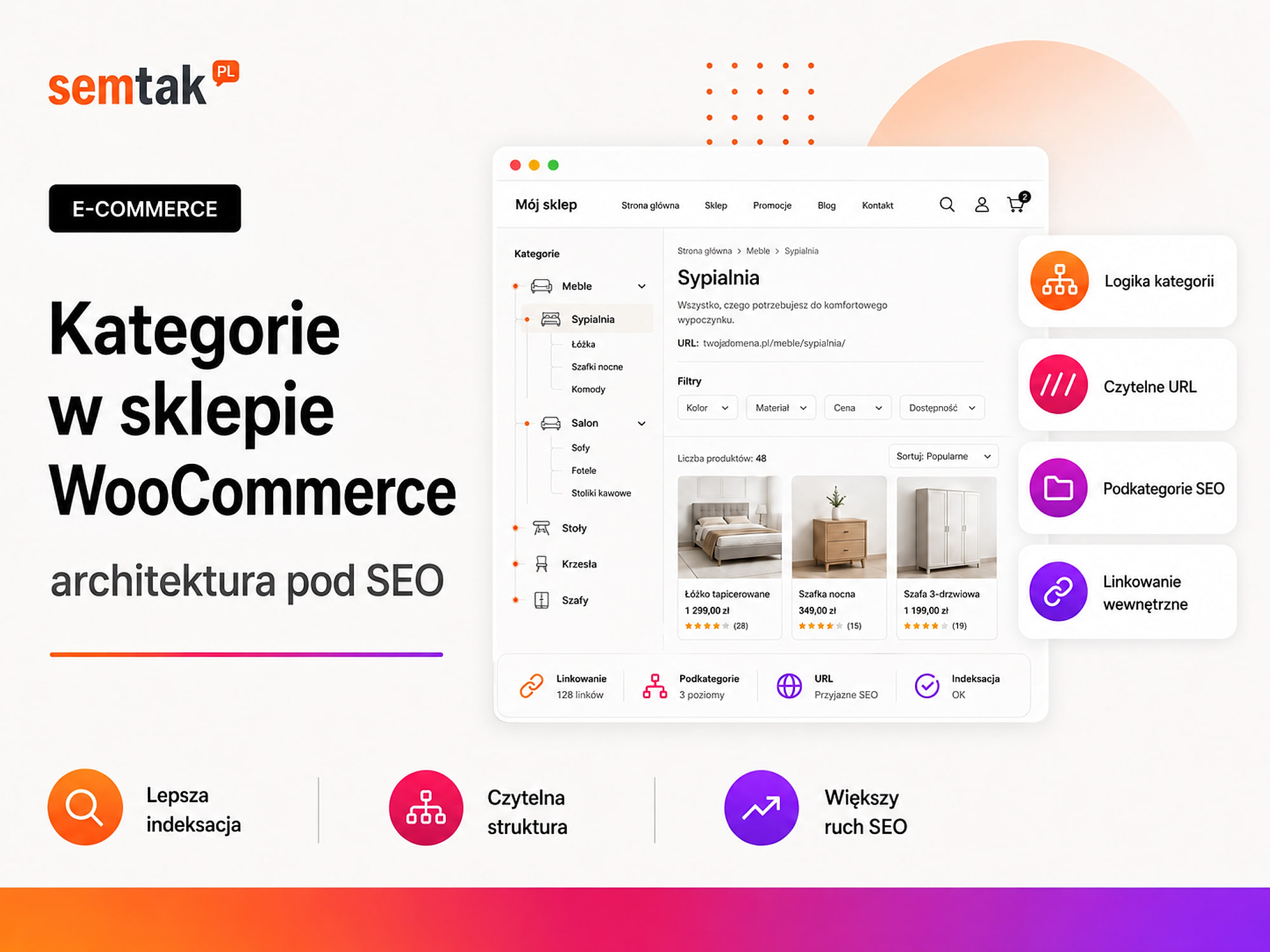
Categories in WooCommerce should not be created at random as you keep adding new products. They are the map of your store: they help the customer find the offer, and they show Google which groups of products matter most.
The problem begins when a store grows without a plan. At first you have a few simple categories. Later come subcategories, brands, collections, ingredients, applications, colours, sizes and filters. After a while the same product sits in a dozen different places, Google sees many similar pages, and the customer no longer knows where to click.
In this guide we will show how to plan WooCommerce categories using a cosmetics store as an example. We will explain when to create a category, when a subcategory, and when an attribute or a filter is enough.
In short
A category is a main group of products, an attribute describes one of their features, and a filter helps narrow the list. Good architecture should reflect the way customers search for products, lead from broad departments to specific groups, have as few unnecessary levels as possible, separate categories from features, limit the creation of similar subpages and support the most important categories with links from the menu, the blog and other parts of the store. Do not create a separate category for every feature — "face serum" can be a category, but a 30 ml size, vitamin C, brand or skin type often work better as attributes.
In short (TL;DR)
- Categories should reflect real product groups and customer needs.
- Not every product feature deserves its own page.
- Categories build the structure, attributes describe the product, and filters narrow the results.
- The most important categories should be reachable through the menu and ordinary internal links.
- Filters can generate thousands of unnecessary URLs, so they need to be managed separately.
- Before changing an existing structure, prepare a map of old and new addresses together with 301 redirects.
Why are WooCommerce categories important for SEO?
A product category is not just a page with a grid of products — when prepared well, it answers a specific customer query.
Phrases such as "face creams", "vitamin C serum", "shampoos for dry hair", "natural cosmetics", "SPF 50 sun creams" or "balms for atopic skin" describe a group of products rather than one specific product — and the category is the natural landing page for them. A product page answers a more detailed query ("Vitamin C serum 15%, 30 ml, brand X"), while a category answers a broader need ("Vitamin C serum"). Thanks to this the customer can compare several products, prices, sizes, formulas and brands instead of landing straight on a single variant.
Categories also help to organise internal linking: products lead to the right groups, subcategories to parent categories, and blog guides direct users to the relevant parts of the offer. If you want to organise the whole SEO process rather than just the categories, start with the guide WooCommerce store SEO — where to start.
Category, subcategory, attribute, tag or filter?
In WooCommerce several elements look similar, but each should have a different purpose.
| Element | What is it for? | Example in a cosmetics store |
|---|---|---|
| Category | Main group of products | Face care |
| Subcategory | A narrower group within a category | Face creams |
| Attribute | A repeatable product feature | Skin type: dry |
| Filter | Narrowing the product list | Brand + price + ingredient |
| Tag | An additional, loose label | Limited edition |
| Brand page | The offer of a specific manufacturer | Cosmetics by brand X |
| SEO landing page | A chosen combination with its own page | Retinol serum |
A category builds the structure, an attribute describes, a filter narrows
Categories build the main structure of the store (they can have a parent and subcategories) — they should be reachable through the menu, tiles or ordinary links. An attribute describes a feature assigned to many products (brand, ingredient, skin type, SPF, size, formula) — do not create five categories just because a product has five features. A filter combines several conditions (serum + dry skin + vitamin C + price up to £20) — it is useful for the user, but it can generate a separate URL for every combination, so not every one should be visible in Google. Tags do not create a hierarchy and, with similar names (natural / natural cosmetics / natural care), they create dozens of almost empty subpages — it is better to limit them and organise repeatable features as global attributes.
How to plan the category structure step by step?
Step 1. Start from the real offer. First list the types of products you actually sell (creams, serums, toners, oils, shampoos, conditioners, masks, balms, scrubs, make-up cosmetics). Do not build the final menu yet — the goal is to gather the whole assortment. Then add brands, applications, customer problems, skin or hair types, active ingredients, audience groups and seasonal products. This makes it easier to spot which elements are groups of products and which are only their features.
Step 2. Check how customers search for products. A customer may search for a cosmetic by product type (face cream, shampoo, serum), by problem (cream for discolouration, anti-dandruff shampoo, anti-wrinkle serum), by ingredient (retinol serum, cream with ceramides), by audience (cosmetics for men, for children, for pregnant women) or by brand. Not every way of searching needs to be moved into the main menu — some topics will be a category, some an attribute, and only selected combinations will get their own pages.
Step 3. Assign one main intent to one page. A correct layout: /pielegnacja-twarzy/, /pielegnacja-twarzy/kremy-do-twarzy/, /pielegnacja-twarzy/serum/. A problematic one: /serum/, /sera-do-twarzy/, /serum-do-pielegnacji/, /kosmetyki-serum/ — if they all show almost the same products, they compete for similar queries.
Cannibalisation: several similar pages instead of one
When "cosmetics for dry skin", "dry skin care" and "dry skin" are separate pages with the same products, Google sees several similar addresses and gets no clear signal as to which is the most important. The result: none of them ranks as high as a single strong category could. Before you create a second page, check whether the current category cannot serve both phrasings — one intent, one page.
Step 4. Choose the main departments. The first layer of a cosmetics store might look like this: Face, Hair, Body, Make-up, For men, For children, Sets, Brands. This is only an example — a store specialising in face care will need a different structure from a large drugstore with tens of thousands of products.
Step 5. Add product subcategories. Place product groups under the main departments. Example for the "Face" department: Face creams, Serums, Toners, Oils, Masks, Scrubs, Face cleansing, Sun protection. Subcategories should differ in content — if two pages show almost identical products, you probably do not need both.
Step 6. Choose topics for additional landing pages. Some features or combinations of features can be significant enough to justify a separate page (vitamin C serum, retinol creams, creams for dry skin, shampoos for curly hair, vegan cosmetics). It should not be the random result of a filter — a good landing page has a stable and readable address, its own H1, its own meta title, a short description, a sufficient offer, links from other parts of the store and a topic that differs from an existing category.
When should you create a separate category?
Before creating a category, answer six questions.
1. Do customers really search for such a group? The category "Face creams" makes obvious sense; "Cosmetics in pump packaging" is probably just a filter, unless that feature is particularly important to customers.
2. Is the group permanent? A category should exist for longer than a few weeks. If you are creating a page for a short campaign, a campaign landing page may be better — one that can be reused or redirected once it ends.
3. Do you have a sufficient offer? There is no single mandatory number of products. A category with three specialist products may make sense; one with two random products usually helps neither the customer nor SEO. Check whether the customer has anything to compare, whether the offer will grow, whether the products fit a single topic and whether the page will not be regularly empty.
4. Does the topic differ from an existing page? "Cosmetics for dry skin" and "Dry skin care" may answer the same need — before you create a second page, check whether the current category cannot serve both phrasings.
5. Does the category have business significance? Not every phrase from an SEO tool is valuable. Take into account margin, product availability, seasonality, the potential to expand the offer, returns, competition and the category's share of sales.
6. Can you link to the category? A page with no internal links is hard for both the customer and the robot to find. A new category should have a logical place in the menu, the parent category, tiles, breadcrumbs, category descriptions and blog guides.
Flat or deep category structure?
The number of folders in the address alone does not determine SEO — what matters more is whether the page can be reached through ordinary links.
A deep structure (Cosmetics → Care → Face → Creams → Day creams) with many levels causes practical problems: the customer makes more clicks, the menu becomes hard to use, important categories are hidden, internal linking is weaker, and managing products is more complicated. A practical rule: the most important sales categories should be reachable by a simple path. You do not have to place everything directly in the menu — you can use the main departments in the menu, a mega menu with subcategories, tiles on department pages, breadcrumbs, popular categories and links in descriptions.
An example cosmetics store architecture
Home page
│
├── Face
│   ├── Face cleansing
│   ├── Face creams
│   ├── Serums
│   ├── Toners
│   ├── Masks
│   ├── Scrubs
│   └── Sun protection
│
├── Hair
│   ├── Shampoos
│   ├── Conditioners
│   ├── Hair masks
│   ├── Oils
│   ├── Scalp treatments
│   └── Styling
│
├── Body
│   ├── Balms
│   ├── Scrubs
│   ├── Oils
│   ├── Shower gels
│   ├── Hand care
│   └── Foot care
│
├── Make-up
│   ├── Face
│   ├── Eyes
│   ├── Lips
│   └── Brows
│
├── Brands
│   ├── Brand A
│   ├── Brand B
│   └── Brand C
│
└── Sets
    ├── Gift sets
    ├── Face sets
    └── Hair sets
Attributes can cover skin type, hair type, action, active ingredient, brand, price, size, certificate and SPF. Selected topics can be developed as separate pages: vitamin C serum, creams for dry skin, shampoos for curly hair, cosmetics with retinol.
How to name categories?
The name should be understandable without any extra explanation.
Good names: "Face creams", "Shampoos for dry hair", "Vitamin C serum", "Cosmetics for men". Weaker ones: "Premium care", "Daily ritual", "Beautiful you", "Our picks", "Exceptional collection". Creative slogans can work in a campaign, but they should not replace information about the content of the page — the customer should know immediately what they will find after clicking.
How to set up category URLs?
A category address should be short, readable, durable, lower-case, free of unnecessary parameters and understandable without opening the page.
Good examples: /kremy-do-twarzy/, /serum-z-witamina-c/, /szampony-do-wlosow-suchych/. Less convenient: /product-category/kosmetyki/pielegnacja/twarz/kremy/kremy-do-twarzy-dzienne/. A long address is not automatically an SEO error, but it is harder to maintain when the hierarchy changes.
Do not change working addresses without a map of 301 redirects
WooCommerce may use the /product-category/ base — it can be changed, but not without a plan in a live store. Changing addresses requires a list of old and new URLs, 301 redirects, updating internal links, updating the sitemap, monitoring 404 errors and checking canonicals (a canonical tells Google which URL is the main version when similar content appears under several addresses). Do not change addresses just because a shorter version looks better — the potential benefit may be smaller than the risk of a badly executed change. The full process is in the guide 301 redirects and 404 errors in a WooCommerce store.
What should a good category page contain?
A good category combines a clear heading, a short introduction, a product list, subcategory tiles, sensible filters, a supporting description, an FAQ and breadcrumbs.
One main H1 heading should clearly describe the content (e.g. "Face creams") — without a city name, the phrase "online store" or several similar keywords. A short introduction above the products (1–3 sentences) explains the content, helps the customer start choosing and introduces the subcategories without pushing the products far down the page. The product list should show a clear photo, the name, the price, availability, the size/variant, the rating (if the store collects genuine reviews) and a clear button.
Subcategory tiles — if a category has subcategories, show them as simple tiles (on "Face care": Creams, Serums, Toners, Masks, Scrubs, Cleansing). Filters should match real selection criteria (in the serum category: skin type, action, ingredient, brand, price, size) — a "packaging colour" filter is unlikely to help. The description below the products can answer questions such as how to choose the right product, what the differences between variants are, who the group is for, which ingredients to look out for, how to use it and what to combine it with — do not create a large block of text purely for the search engine.
An FAQ makes sense when it answers questions about the whole group (for serums: how to match it to your skin type, whether to apply it before the cream, how often to use it, whether to combine vitamin C with retinol) — do not add the same FAQ to every category. Breadcrumbs show the page's position: "Home → Face → Serums" and help the user go up a level.
How to link categories internally?
The most important categories should receive links from several places.
The main menu — the main departments and the most important subcategories (not every filter combination; the menu must stay readable on mobile too). Parent categories — the "Face" page leads, among others, to creams, serums, toners, masks and cleansing. Category descriptions — in the serum description you will naturally link to vitamin C serum, retinol serum, face creams, toners. The blog — the guide "How to use retinol?" can lead to retinol cosmetics, repairing creams and sun protection; the blog should support the sales pages, not work as a separate part of the site. Product pages — a product should be assigned to a logical category and link to the right group; the product page itself needs well-organised content and a unique description (more in the guide product descriptions for SEO).
Can a product belong to several categories?
Yes, as long as each of them is logical for the user.
A vitamin C serum can be in "Serums" and "Cosmetics with vitamin C". It should not, however, automatically end up in a dozen similar places (All cosmetics, Care, Face cosmetics, Face products, Face serums, Natural cosmetics, Best products, Recommended products) — the more random assignments there are, the harder it is to maintain order, breadcrumbs and consistent linking. "Promotions" and "New arrivals" can be dynamic views or landing pages rather than fixed categories assigned manually to every product.
What to do with filters?
Filters are needed by customers, but not all addresses created by filters should reach Google.
Example addresses: /serum/?marka=x, /serum/?skladnik=retinol, /serum/?marka=x&skladnik=retinol&cena=50-100.
Separate utility filters from controlled landing pages
Utility filters only help narrow the offer. Important combinations (e.g. "vitamin C serum") deserve a separate, controlled landing page. A combination of five brands, two sizes and a price-low-to-high sort usually should not be a separate result in Google — otherwise filters will generate thousands of thin, almost identical addresses. We describe the full rules for indexing, parameters and handling combinations in the guide faceted navigation and WooCommerce filters — SEO without duplicates.
Do you have hundreds of categories, tags and addresses generated by filters? As part of online store SEO we can prepare a map of the structure and indicate which pages to develop, merge or exclude from indexing.
Pagination and the "Load more" button
The search engine robot must be able to reach further products through ordinary links.
A large category may have several or several dozen pages (/kremy-do-twarzy/, /kremy-do-twarzy/page/2/, /kremy-do-twarzy/page/3/). The problem appears with infinite scrolling, a "Load more" button without further addresses, products loaded only via a script and no links to subsequent pages. For the customer you can keep a convenient button or infinite scrolling, but the code should still contain an accessible path to the following pages.
What to do with a category that has no products?
Do not leave an empty page without a decision.
Products will return soon — keep the category and show the expected delivery date, similar products, the option to be notified and a contact for support. The category is seasonal (Christmas sets, advent calendars, summer cosmetics) — keep its address and, out of season, supplement it with information about the next edition and alternatives. The category has been permanently withdrawn — redirect it to the most closely related category, merge it with a broader group or return a 410 code (information about permanent removal). Do not redirect every deleted category to the home page — the customer should land in a thematically similar place. Detailed scenarios are in the guide on 301 redirects and 404 errors.
An example of a badly planned structure
Cosmetics
├── Face cosmetics
├── Face care
├── Face products
├── Creams
├── Cosmetic creams
├── Care creams
├── Serums
├── Care serums
└── Natural cosmetic products
Problems: several categories mean practically the same thing, the names are unclear, there is no established hierarchy, similar products are on many pages, and the customer does not know how the groups differ. A single coherent tree is better (as in the example architecture above), and features such as ingredient, brand or skin type should be handled by attributes and selected landing pages.
The most common mistakes in category architecture
The most damage is done by: names that are too general and too specific, categories hidden from the user, copied descriptions and a lack of a decision for seasonal categories.
1. Names that are too general — "Care" with hundreds of products for the face, hair and body forces the customer into extra steps. 2. Categories that are too specific — "Vegan vitamin C serum for dry skin 30 ml" is more a combination of attributes than a main category; such a narrow page has few products and empties quickly. 3. Categories hidden from the user — the page is in the sitemap, but no normal link leads to it. 4. Copying the same description — every category has identical text with the name swapped out. 5. No decision for seasonal and withdrawn categories — every year the store creates a new address for the same offer or leaves dozens of empty categories. 6. Designing solely on the basis of an SEO tool — a phrase may have searches but not fit the offer; the structure must combine customer needs, the real assortment, sales data, SEO significance and the potential to grow.
How to implement categories in WooCommerce?
You will find categories in the panel under Products → Categories — for each you can set a name, slug, parent category, description and thumbnail.
The name is the text visible to the customer (e.g. "Face creams"). The slug is part of the URL (kremy-do-twarzy) — do not change the slug of a working category without a 301 redirect. The parent category creates the hierarchy (Face care → Face creams). The description — how it is displayed depends on the theme (above the products, below them or completely hidden); after saving, check the category from the customer's point of view. The thumbnail can be used in tiles — it should be consistent with the others, lightweight, legible on mobile, well compressed and described with appropriate alternative text.
What can you check yourself?
Start by exporting the list of categories and finding pages that duplicate one another or are empty.
1. Export the list of categories — name, URL, parent category, number of products, indexing status, organic traffic, sales, main topic. 2. Find empty and very small categories — with no products, with one or two random products, not being developed, duplicating another category (do not delete straight away — check the address history, traffic and links). 3. Check the menu — whether the customer understands the names, whether important categories are visible, whether the menu is not overloaded, whether it works on mobile and whether you can move from a department to its subcategories. 4. Check the breadcrumbs — they should show a logical path, not a randomly chosen category. 5. Check tag archives — type into Google site:yourdomain.com/product-tag/ and see whether the tags are not creating dozens of thin subpages.
6. Test the filters — whether each change creates a new URL, whether the pages appear in Google, whether they reach the sitemap, what happens when there are no products and whether you can create almost infinite combinations. 7. Check the linking — your most important category should not be reachable only through the internal search. 8. Check the H1 and metadata — every important category should have its own H1, meta title, meta description and a description matched to the topic. 9. Check Google Search Console — which categories generate clicks, which queries lead to the page, whether several pages appear for the same phrases, whether parameters and sortings are indexed, whether important pages have not been excluded. 10. Prepare a map of changes before editing addresses:
| Old address | New address | Decision | Action |
|---|---|---|---|
/sera/ | /serum/ | Merge | 301 |
/krem-do-twarzy/ | /kremy-do-twarzy/ | Address change | 301 |
/promocja-maj/ | None | End of campaign | 410 or a similar page |
When is it worth hiring a specialist?
A specialist's help is advisable when the store has hundreds of categories/attributes, thousands of addresses from filters, or has lost traffic after changing the menu or addresses.
This also applies when the store has been developed without an established structure, has several language versions, has a cannibalisation problem, indexes tags/sortings/search results, uses an extensive filtering plugin, is planning a migration or rebuild, does not know which categories have sales significance or has different addresses in the menu, the sitemap and Search Console. You then need to combine the analysis of phrases and intent, sales data, the WooCommerce structure, indexing, linking, redirects and category content — simply changing a few names in the menu usually does not solve the problem.
Frequently asked questions
How many categories should a WooCommerce store have?
There is no single correct number. A store should have as many categories as it needs to divide the real offer logically. Every important category should have a defined topic, products and a place in the navigation.
How many levels of categories can you create?
WooCommerce lets you create an extensive hierarchy, but that does not mean it is worth adding many levels. What matters most is that the customer reaches the products quickly.
Can a single product belong to several categories?
Yes, as long as each of them is logical for the customer. You should not, however, assign a product to many similar categories just so it appears in more places.
Can a product attribute have its own page?
It can, but it should not happen automatically for every attribute. It is worth preparing a separate page when the topic matters to the customer, has a suitable offer and its own place in the structure.
Do category descriptions help with SEO?
Yes, if they explain the content of the page and help with the choice. A long block of text alone, however, will not replace a good offer, structure, linking and correct indexing.
Is it worth indexing product tags?
Usually only when the tags are managed like thought-through topical pages. Random tags with a few products are most often better excluded from indexing.
Do you have to remove /product-category/ from the addresses?
No. The mere presence of this base does not ruin SEO. In a live store it is more important to keep stable URLs and to implement redirects correctly when making changes.
Can you change the structure without losing visibility?
You can reduce the risk through a map of addresses, 301 redirects, updating the linking and monitoring after deployment. You cannot, however, guarantee that a large change will pass without any fluctuations.
Plan categories like a map of the store
WooCommerce categories should be planned like a map of the store, not added at random while entering products. Good architecture answers three questions: how the customer searches for products, how the store groups its real offer and which pages should be visible in Google.
Use categories for the main product groups, attributes for repeatable features, leave filters as a tool that helps the customer, and develop only selected topics as separate landing pages. If the store already has hundreds of categories, tags and filter addresses, do not start with mass deletion of pages — first check which URLs generate traffic, sales and links, and only then prepare a plan of merges, redirects and new linking:
- Online store SEO — a map of categories, an analysis of addresses, decisions on what to develop/merge/exclude.
- WooCommerce store SEO — where to start and product descriptions for SEO — the next steps.
- Faceted navigation and filters and 301 redirects and 404 errors — when filters and address changes get out of hand.